Patch Corner
Animated Lead
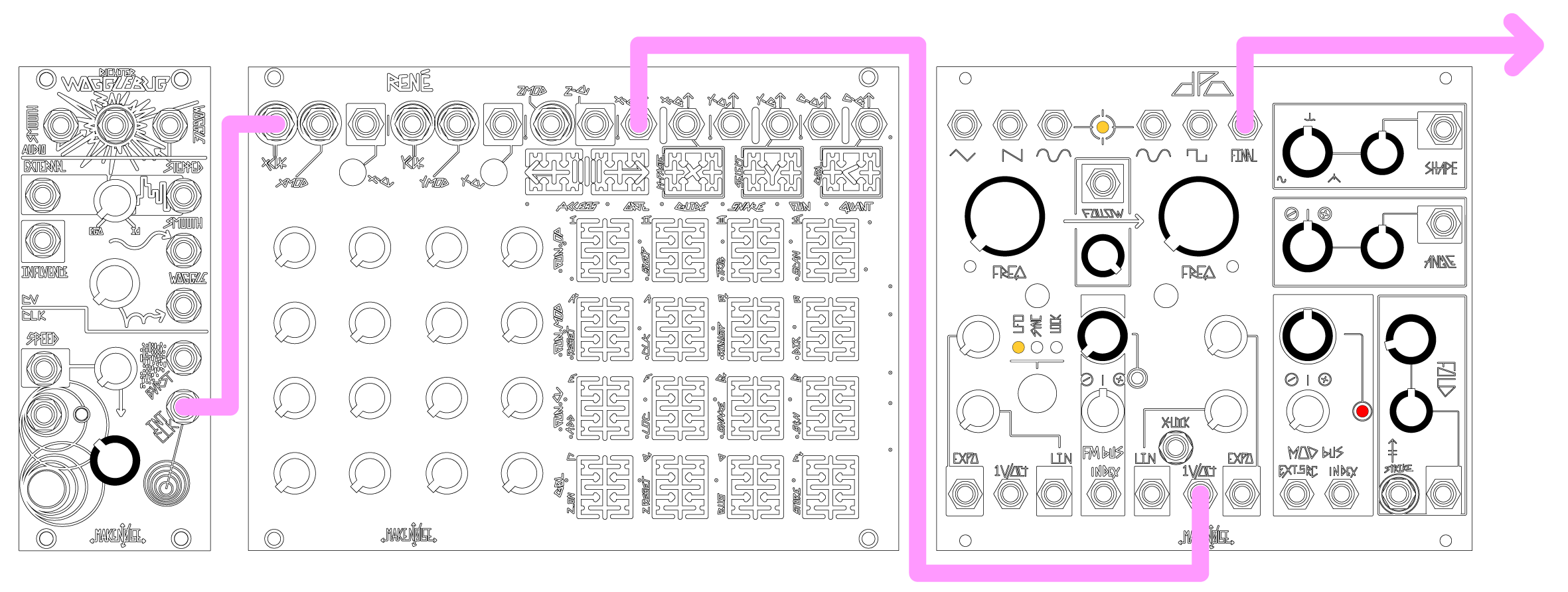
1. Patch sequencer or keyboard CV to VCO B 1V/Oct Input.
2. Monitor VCO B Final Output.
3. Set Shape and Angle panel controls and CV Attenuators to 12:00.
4. Set Fold to 9:00 and set Fold CV attenuator to 12:00.
5. Set Mod Bus panel control to 12:00.
6. Patch Gate from sequencer or CV KB to Strike Input of DPO.
7. Push button to select LFO behavior at VCO A.
8. Set VCO A Freq. to around 9:00 and set Follow to full clockwise (100%).
9. Varying the Mod Bus parameter greatly alters the sound.
Bass Drum
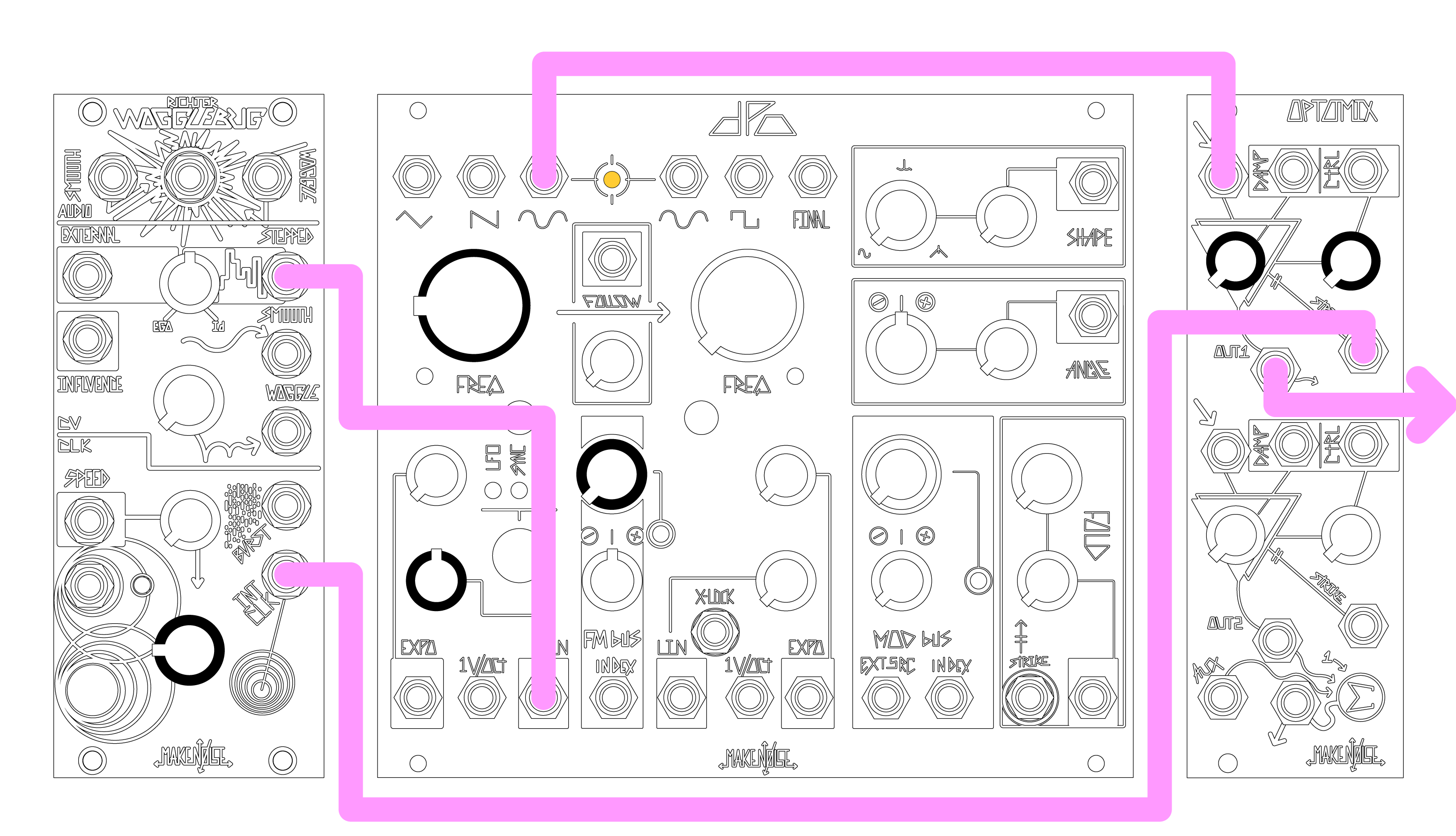
1. Patch VCO A Sine to Optomix CH. 1 Signal Input.
2. Patch Random Stepped Voltage Output from Wogglebug to DPO VCO A Linear FM Input and the Wogglebug Clock Output and patch the Wogglebug Clock Output to Optomix CH. 1 Strike Input.
3. Set DPO VCO A Linear FM amount to 12:00 and Frequency panel control to roughly 9:00.
4. Set Optomix CH. 1 Damp and Control panel controls to full Counter Clockwise.
5. Monitor Optomix CH. 1 Signal Output.
6. Adjusting the Linear FM amount, Frequency setting and Damp settings allow you to create many different Bass Drum sounds.
7. Adding Dynamic Expo FM from VCO B by patching same gate to FM Index Input with the Attenuverter clockwise also expands the possibilities.
Skronky FM
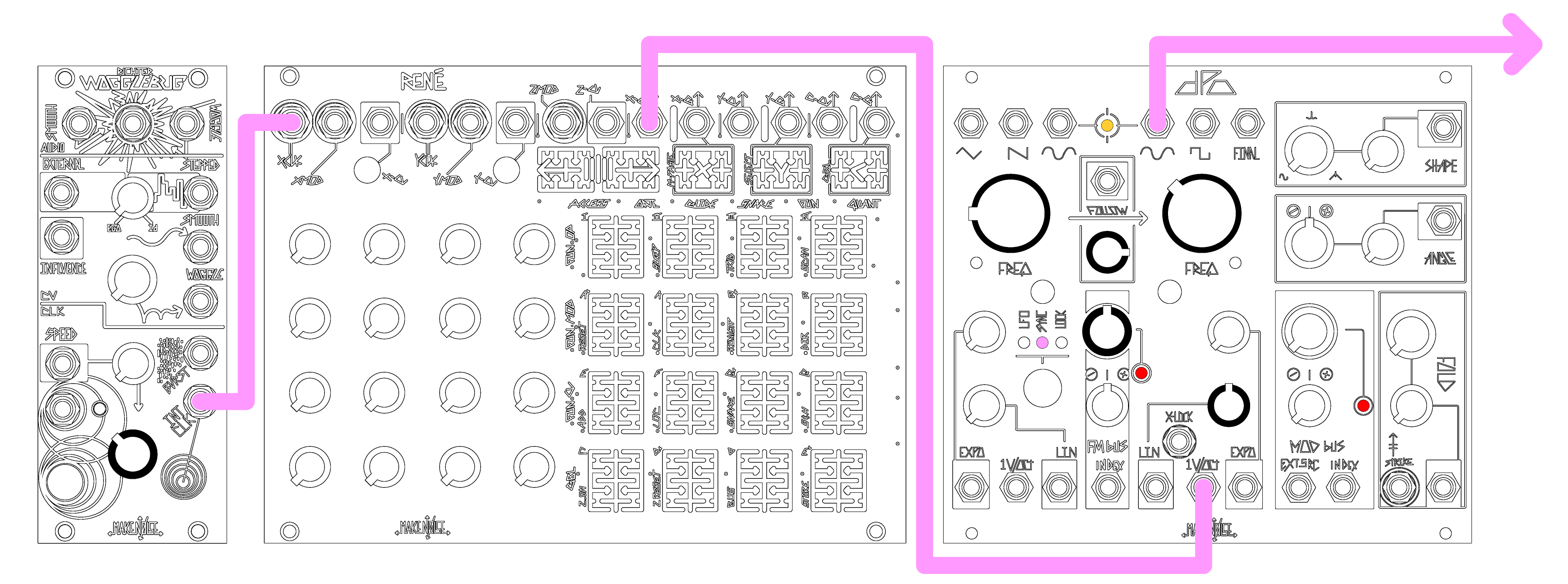
1. Engage Sync mode on VCO A. Monitor VCO B Sine Output.
2. Tune the two oscillators to a simple interval such as unison, a fifth or an octave.
3. Adjust Follow panel control to about 3:00.
4. Turn up VCO B Lin FM attenuator to 12:00.
5. Turn FM BUS to 12:00.
6. Send a sequence or keyboard voltage to VCO B 1v/oct.
7. Each note change is accompanied by a discordant squelch of FM as VCO A “slides” to the correct note. Adjust Follow and FM amounts to taste.
Strike Force
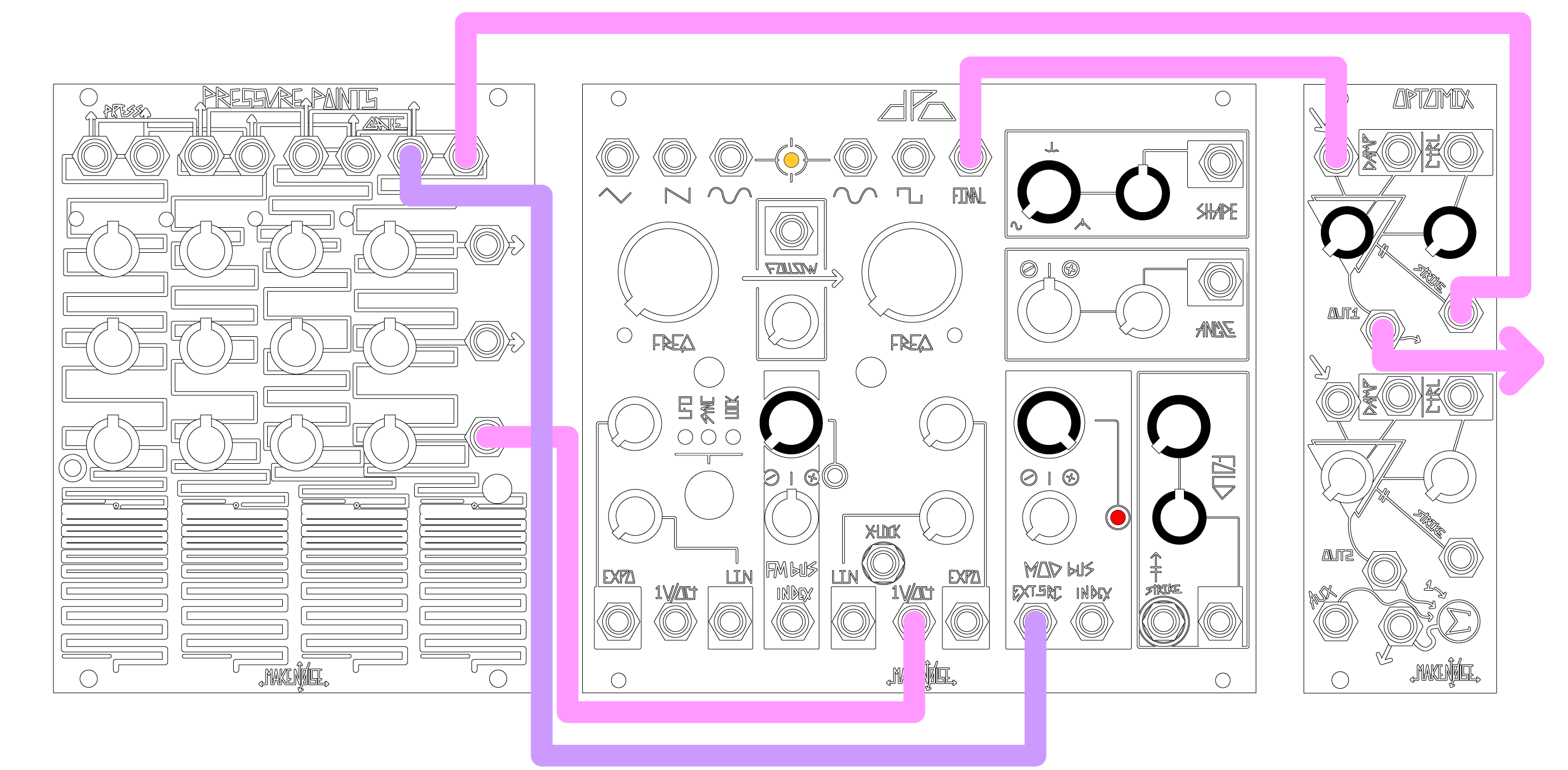
1. Monitor Final output.
2. Turn Folds and Shape to 0 (full CCW). Turn Shape and Fold CV input attenuators to 12:00.
3. Patch Pressure Points common Gate out to Strike input.
4. Pressure Points tuned voltage B or C to DPO VCO B 1V/Oct.
5. Pressure Points common Pressure out to Mod Bus External Source Input.
6. Sound will become simultaneously louder and more “damped” as more pressure is applied.
7. Adjust Pressure Points sensitivity and Shape/Fold CV input attenuators to taste.
Wobble Bass
1. Monitor Final output.
2. Adjust Fold, Angle, Shape panel controls and input attenuators to 12:00.
3. Set VCO A to LFO mode with coarse Freq ~9:00.
4. Adjust Mod Bus Index Panel control full CW, and FM Bus Index panel control full CCW.
5. Adjust Follow panel control full CW.
6. Patch sequencer or keyboard CV to VCO B 1V/Oct.
7. "Wobbling" changes speed with the pitch of the “bassline,” doubling frequency per octave.
8. Adjust coarse frequency knobs and Final parameters and CV input attenuators to taste.